

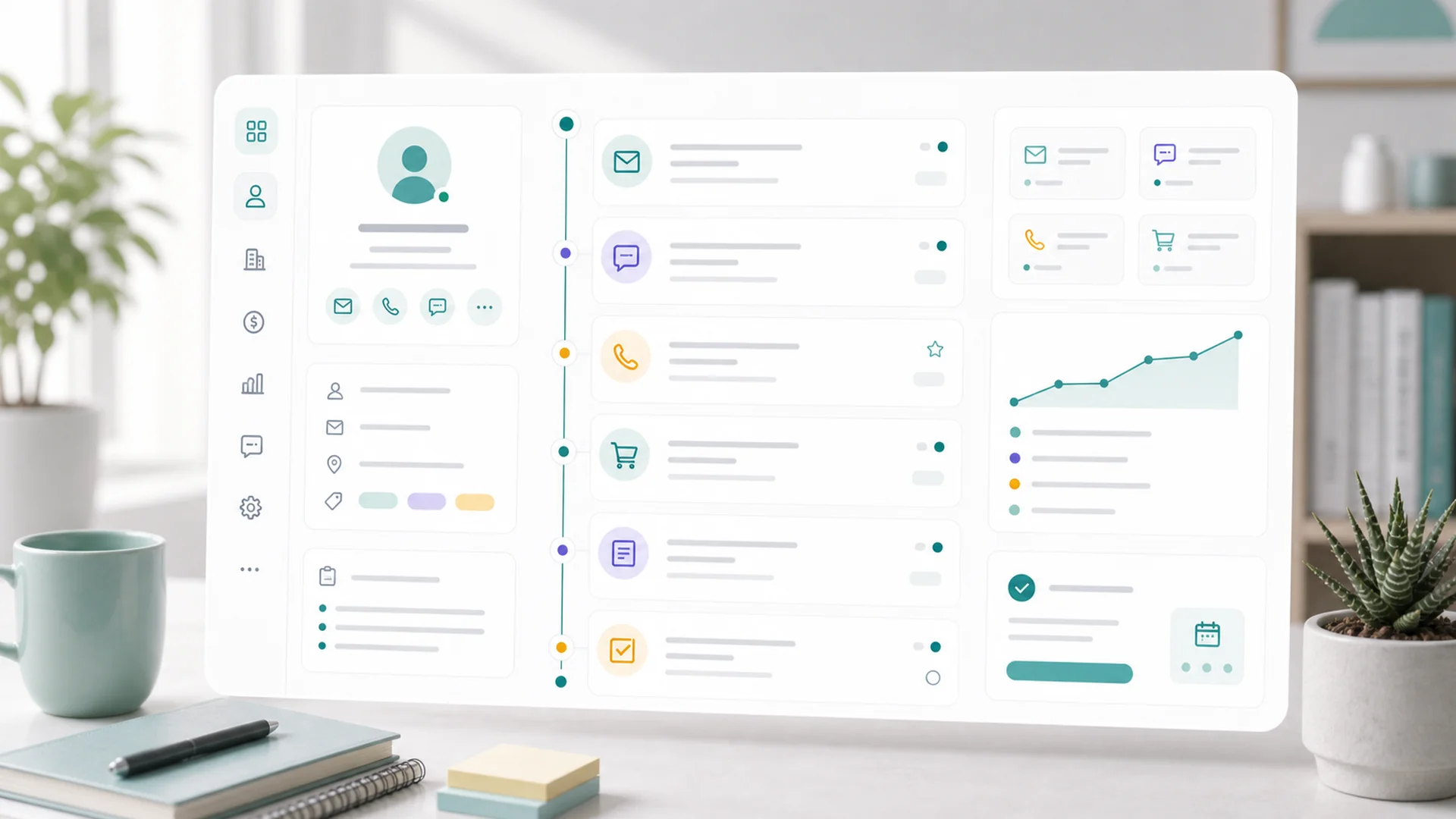
Customer 360 is one view per customer that pulls everything into a single timeline — emails, bookings, invoices, form submissions, notes, tasks, and files. The point isn't the data; it's that follow-up starts from context instead of memory: open the record, read the last ninety days in thirty seconds, act.
Every small business runs a CRM, whether they admit it or not. Sometimes it's software; more often it's a founder's memory, an inbox search, and a spreadsheet with a column called "notes". The cost shows up the same way everywhere — the awkward beat on a call where you can't remember if they paid, what they booked, or who promised what. Customer 360 exists to delete that beat.
One timeline, every system
Open any person, company, or opportunity and the 360 view assembles the whole relationship: profile fields and pipeline context on one side, and a unified timeline of everything that happened on the other. Because the website, forms, bookings, money, and email all live in the same platform, the timeline isn't an integration project — it's just what the record looks like. A real one reads like this:
- Mar 3Form submitted — "Kitchen renovation inquiry" via the website, with budget range and photos.
- Mar 5Email thread — three replies about scope, pulled in from the connected inbox.
- Mar 9Booking — site visit scheduled, intake answers attached.
- Mar 14Quote sent — $24,800, viewed twice, accepted Mar 18.
- Apr 22Invoice paid — final balance settled through the portal link.
- Apr 23Task due — "Send review request + maintenance offer".
When a timeline gets long, filters cut it by type — just money events, just messages, just bookings — which is how a record stays useful at year three instead of becoming an archaeology dig.
Money history, where the conversation happens
The killer detail for service businesses: money history lives on the customer record. Quotes, invoices, payments, refunds, open balances, portal links — visible in the same view where you're about to write the follow-up email. That ordering matters: checking the balance before sending the reminder is the difference between professional persistence and accidentally dunning someone who paid this morning.
The most expensive sentence in business: "Sorry — let me check and get back to you."
Context you have to go find is context you mostly won't.
Notes, tasks, and the inbox tie-in
Three quieter pieces complete the loop. Notes and files attach institutional memory to the record — the gate code, the signed contract, "prefers calls after 3pm" — instead of to whoever happened to learn it. Tasks and reminders turn intentions into dated commitments that surface when due. And connecting your inbox threads real email conversations into the timeline, so "what did we last say to them?" stops requiring a search through three mailboxes.
From context to action
A 360 view that's only a dashboard would be trivia. The design intent is that activity leads to action in the same place: a quote viewed three times but unaccepted becomes a follow-up task; a course completion becomes a congratulations email; a customer gone quiet for ninety days becomes a win-back enrollment. And per Faster's standing rule, AI helps here as a preparer — it can summarize a long relationship in a paragraph and draft the follow-up that matches the history, but what it drafts waits for your review before anything reaches the customer.
Where to start
If you're new to it: open the records of your ten most important customers and read their timelines — you'll spot at least one dropped thread worth reviving today. Then make one habit change: before any customer call or email, open the record first. Thirty seconds of context, every time, compounds into the thing customers actually notice — a business that remembers them. Setup-wise, it pairs naturally with the afternoon CRM setup if your records aren't in shape yet.
Key takeaways
- One record, whole relationship: emails, bookings, money, forms, notes, tasks — one timeline.
- Money in customer context: check the balance in the same view where you write the follow-up.
- Memory belongs to the record, not to whoever answered the phone — notes, files, preferences.
- Activity becomes action: viewed quotes, quiet customers, and completions turn into tasks and journeys.
- AI summarizes and drafts, you approve — same review rule as everywhere in Faster.
Frequently asked questions
How does activity end up on the right customer's record?
Matching runs on reliable identifiers — primarily email, plus phone and company. That's why intake forms and bookings should always capture an email: it's the thread that stitches a person's activity together across tools.
Does the whole team see everything?
Roles control the sensitive parts — money actions in particular sit behind payment permissions, so a teammate can see relationship context without being able to refund or collect. Notes are team-visible by design: that's the point of writing them down.
We're tiny — is this overkill before we have lots of customers?
It's actually easiest to adopt small: ten customers means ten readable timelines and a habit that forms in a week. Retrofitting context onto five hundred messy records later is the expensive version.
What about companies and deals, not just people?
The 360 view covers people, companies, and opportunities, with relationships between them — so an opportunity shows its people, and a company rolls up the conversations happening across its contacts.
Can AI answer questions about a customer directly?
Yes — "summarize where things stand with Meridian Co" or "what's outstanding before Friday's call" produce grounded answers from the record, and any follow-up it drafts from that context stays in review until you send it.
Businesses don't lose customers to forgetfulness all at once — they lose them one unremembered detail at a time. One view per customer, read before every conversation, is the cheapest loyalty program ever built. The walkthroughs live in the help center.