

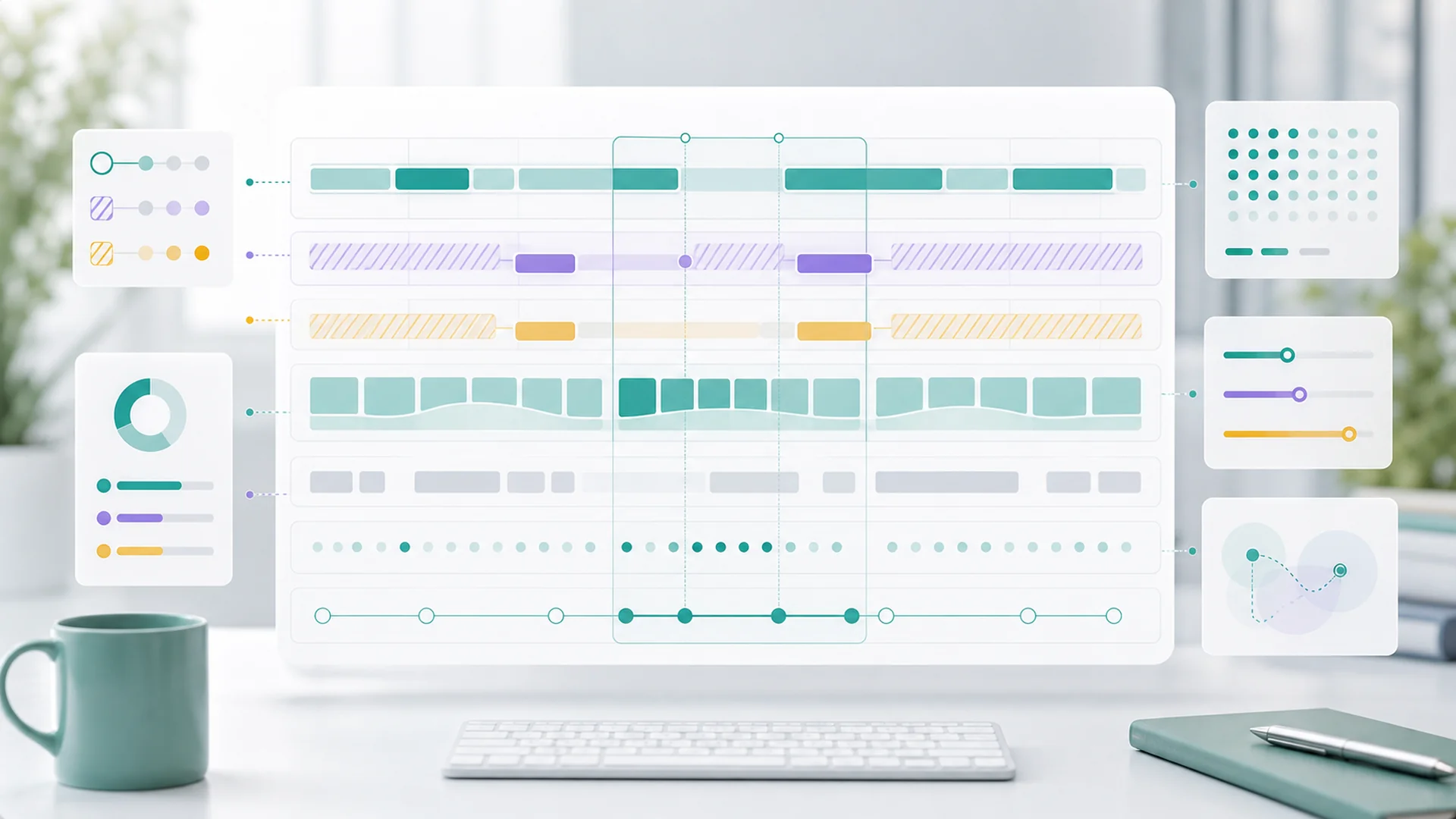
Quick answer: "Show open times" looks like a calendar read; it's actually a constraint-intersection engine. Availability is computed as the negative space left after working hours, staff schedules, existing bookings, buffers, capacity limits, lead-time rules, and blackout dates all take their bite — discretized into bookable slots, converted across time zones without lying, and re-verified at confirmation because two customers can stare at the same slot at the same moment. Every one of those clauses is a place naive booking systems double-book someone.
Of all the features on a small-business website, the booking page makes the most dangerous promise: these times are real. A blog post that's wrong wastes a click. A booking slot that's wrong sends a customer to a locked door, or two customers to one massage table — a software bug that becomes an in-person apology.
This is the fourth in our engineering series (after git-backed workspaces, email at scale, and the animation renderer): what it actually takes to compute "available," and why the simplest question a customer can ask — when can I come in? — is one of the hardest answers a platform computes.
Availability is negative space
The first mental shift: availability isn't stored anywhere. There is no table of open slots sitting in a database waiting to be read. What's stored is everything that constrains time — and availability is computed, on demand, as whatever survives the intersection:
- Business working hours ∩ service hours (the salon opens at 9, but color services only run until 3)
- ∩ staff schedules (Maya works Tuesday–Saturday; only Maya does balayage)
- ∩ what's already booked, plus its buffers
- ∩ capacity (one chair, three tables, fourteen workshop seats)
- ∩ policy — minimum lead time ("no bookings within 2 hours"), maximum horizon ("nothing past 60 days"), blackout dates
Each clause is trivially simple. The engine is the intersection — and the reason the availability setup guide asks owners to keep hours, staff, durations, and buffers accurate is that every one of those settings is a literal operand in this computation. Optimistic inputs produce optimistic slots, and optimistic slots produce locked-door apologies.
The four genuinely hard parts
A 60-minute service is never 60 minutes of calendar. There's cleanup after, prep before, travel between site visits — so the engine books duration plus buffers, and the buffers interact: back-to-back appointments may share a buffer or each demand their own, and a mobile business's buffer depends on where the previous job was. Get buffers wrong and the schedule is technically full of bookings and practically full of late arrivals — the failure mode customers experience as "this place is always running behind."
Customers don't book "any free interval" — they pick from slots, which means the engine discretizes time: starts every 15, 30, or 60 minutes, aligned to sane boundaries. The subtle cost is fragmentation: a cancelled 45-minute appointment leaves a hole that a 60-minute service can't use, and naive alignment can strand capacity all over the week. Slot-size choices are a quiet utilization lever — finer alignment fills gaps better but reads as choice overload on the booking page. (What the customer should see is three good buttons — the whole argument of our booking-page guide.)
"Book with anyone" is the union of every qualified staff member's availability; "book with Maya" is one person's; and the engine has to resolve which anyone at confirmation time without stealing a slot that a named-staff customer was about to take. Then events and workshops flip the model entirely: a class doesn't block time when booked, it counts down seats — same calendar, opposite semantics, and the engine runs both at once.
The business thinks in its local time; the visitor's browser thinks in theirs; and twice a year, daylight saving makes one of those days 23 or 25 hours long. The discipline is absolute: store every instant as an unambiguous point in time, attach the business's timezone as the source of truth, and render in the viewer's zone only at the last moment. "Tuesday at 9" means the business's Tuesday — a customer booking from across the country must see their own local equivalent, and the confirmation email must say both. DST transition days get special honesty: the 1:30am that occurs twice and the 2:30am that never occurs at all have ruined more booking systems than any other single cause.
The race at the end: availability is a snapshot
Everything above computes what's open at the moment someone asked. But two customers can have the same booking page open, looking at the same 2:00 slot, and both click it. The page didn't lie — it showed a true snapshot that stopped being true.
So the last line of defense is structural: confirmation re-checks availability inside the transaction. The display is optimistic; the booking is verified — first click wins, second gets an immediate, honest "that time was just taken" with the nearest alternatives. It's the engineering encoding of the check-before-confirming rule the help center teaches humans, and the same re-check runs on reschedules, where a moved appointment must atomically free its old slot and claim its new one — releasing the old buffers too, which is where hand-rolled systems classically leak phantom busy time.
Why correctness beats cleverness here
Most software bugs cost a retry. Availability bugs cost trust, in person: someone drove somewhere, arranged childcare, took a lunch break. That asymmetry shapes the engineering values — prefer the conservative answer when constraints are ambiguous (a hidden good slot costs one booking; a shown bad slot costs a customer), make every confirmation re-verified, and treat the owner's availability settings as the contract they are. It's also why "just sync it to a calendar app" undersells the problem: calendars record events; an availability engine refuses impossible futures — and that refusal, invisible when it works, is the entire product.
For the business owner, all of this compresses into the experience the machinery exists to protect: a service definition, honest hours and buffers in settings, and a booking page whose three buttons are all true.
Key takeaways
- Availability isn't stored: it's computed as the negative space surviving an intersection of constraints.
- Appointments occupy duration plus buffers, and buffers interact: the source of the "always running behind" failure mode.
- Slot discretization trades utilization against choice: fragmentation quietly strands capacity.
- Staff booking blocks time; event booking counts seats: one calendar, two opposite semantics.
- Time zones: store absolute instants, render local, treat the business's timezone as truth, and respect the 23-hour day.
- Displayed availability is a snapshot: the confirmation re-check inside the transaction is what prevents double-booking.
Frequently asked questions
Why does my booking page sometimes show fewer slots than my calendar suggests?
Because the page shows the intersection, not the calendar: a visually free hour may fail the service's buffer, the lead-time rule, or the staff qualification. When a slot seems missing, walk the constraint list in availability settings — one of the operands is eating it, usually a buffer.
What happens if two customers click the same slot at once?
First confirmation wins; the second gets an immediate "that time was just taken" with alternatives, because confirmation re-checks availability rather than trusting the page. Nobody gets double-booked — that guarantee lives in the transaction, not in the display.
How should I set buffers without strangling my schedule?
Time three real turnarounds and use the median, not the worst case — then handle the rare overrun by blocking time manually that day. Padding every slot for the once-a-month disaster silently deletes hours of weekly capacity, which is the expensive way to feel safe.
Do I need to think about time zones if all my customers are local?
Less — but not zero: travelers book from trips, gift bookings come from relatives elsewhere, and DST days affect everyone. The engine handles it regardless; your only job is keeping the business timezone in settings correct.
Why not just hold a slot while someone's checking out?
Holds trade one problem for another: abandoned checkouts lock real capacity for minutes at a time, which costs busy businesses more than the rare same-second collision. Optimistic display with verified confirmation keeps every slot sellable until the instant it's genuinely sold — the collision case gets a graceful message, the common case gets full inventory.
If you're building scheduling systems, the transferable lessons are the same boring ones as ever: compute from constraints instead of caching conclusions, verify at the moment of commitment, and never let a display promise what a transaction hasn't confirmed. And if you just want the bookings — set your hours and buffers honestly, and let the engine refuse the impossible futures for you.