

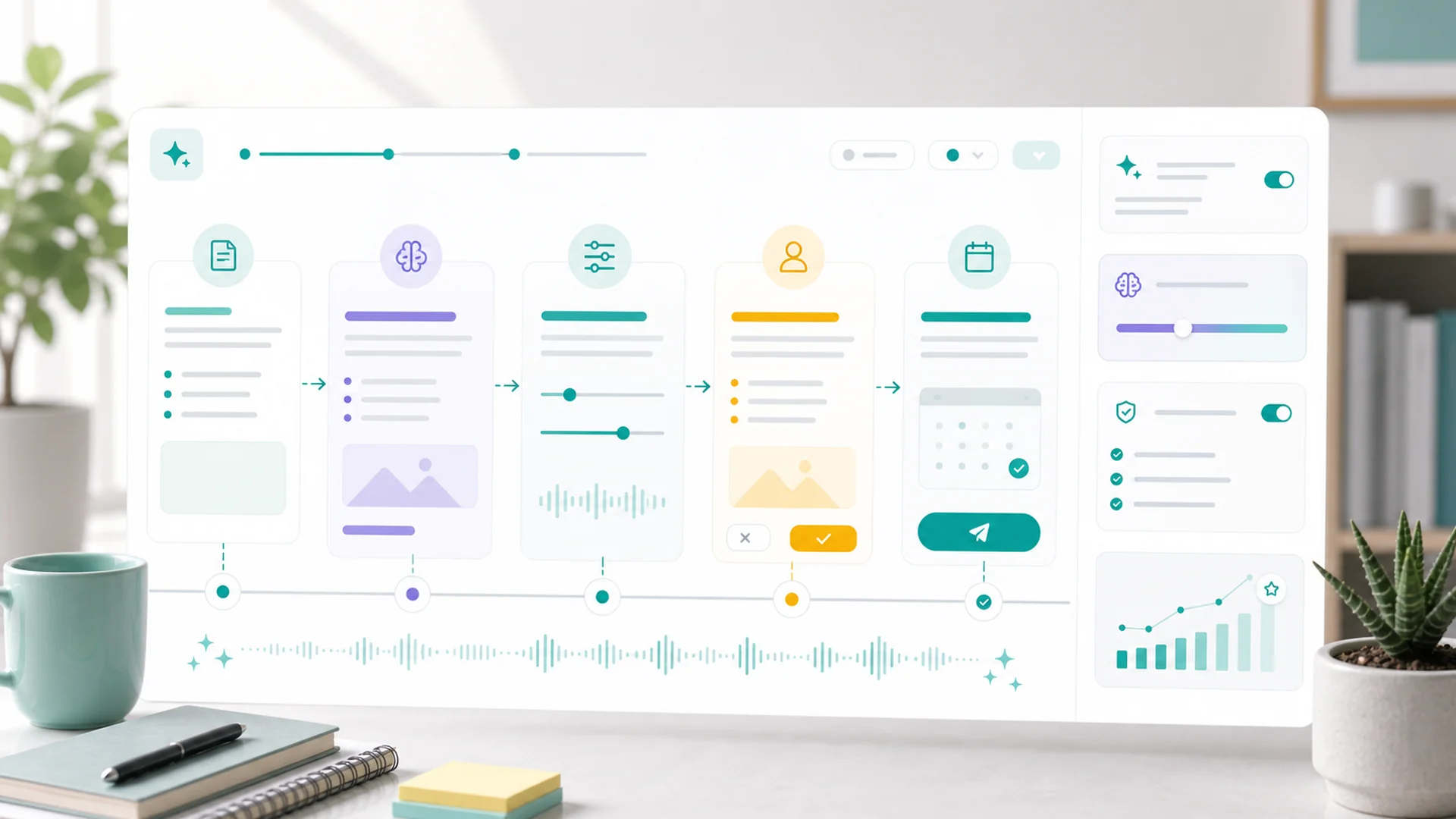
AI content sounds like AI when it's briefed like a stranger. The fix is a workflow, not a better model: teach your voice once (so it persists in workspace memory), brief with real specifics, draft in batches, add the things only you know, and review before anything publishes. Five steps — the first one you only do once.
You can spot unedited AI content from across the room: confident, smooth, and weirdly empty. "In today's fast-paced digital landscape…" Nobody talks like that — which is the tell. The machine wasn't given anything real to say, so it produced the average of everything ever said. The fix isn't prompting harder on the day. It's a workflow that front-loads the realness.
Why AI content sounds like AI
Three causes, all fixable. No voice: the model defaults to LinkedIn-average prose unless it knows how you actually talk. No specifics: generic input produces generic output — "write a post about our spring promo" contains nothing a competitor's brief wouldn't. No stakes: the model has never lost a customer over a wrong claim, so it writes like nothing matters. The five steps below remove each cause in turn.
Teach your voice once — and make it stick
Don't re-explain your tone in every prompt; that's the treadmill that makes people give up. Put your voice into workspace memory once, where every future draft inherits it. The highest-leverage things to store aren't adjectives — "friendly but professional" describes everyone — they're rules and examples:
- Three real posts or emails you wrote that sound like you, marked "this is our voice".
- A banned-phrase list: "elevate", "unlock", "game-changer", "in today's world", em-dash chains, whatever makes you wince.
- Operating rules: "we say customers, not clients", "prices always included", "no exclamation points in subject lines".
- Your audience in one honest sentence — who they are and what they're skeptical about.
Brief like the result matters
The briefing is the actual work — everything after it is mechanical. A good content brief contains the things a generic one can't: the real event, the real number, the real opinion.
"Write a LinkedIn post about the importance of regular HVAC maintenance."
"LinkedIn post. Last week we found a furnace one month from cracking its heat exchanger — $400 fix now vs $6,000 replacement in January. Angle: the maintenance visit nobody books in June is the cheapest one. End with our June tune-up offer. Don't apply, draft only."
Notice what the good brief contains: a story, two numbers, a season, an opinion, and an instruction to stay in draft. Briefs like this take ninety seconds and are impossible for a competitor to replicate — because they're made of your week, not of keywords. For bigger pushes, the same logic scales up into a campaign brief the AI helps you build before any content gets drafted.
Draft in batches, not one-offs
One brief, many outputs: ask for platform-specific drafts in one pass — the LinkedIn version, the Instagram caption, the short email mention. Same story, native shapes. Batching also makes your editing pass efficient: you're reviewing one idea expressed five ways, not five ideas. A week of content from two or three good briefs is the realistic win — not a month from one prompt, which is how you get thirty interchangeable posts.
The humanize pass: add what only you know
Two minutes per draft, three edits, in this order: replace every vague claim with a specific ("saves time" → "saves us about four hours per job"); add one sensory or named detail the model couldn't know (the customer's street, the smell of the burnt capacitor, the tool brand); cut the first sentence if it's throat-clearing — AI loves a warm-up lap, and your readers don't. If a draft survives all three edits unchanged, the brief was good enough that the machine wrote your post. That's the goal state.
AI writes the average of the internet. Your job is to add the parts that aren't average.
Specifics, names, numbers, and opinions — the four things no model can invent truthfully.
Review is the publish button
Everything stays a draft until a human approves it — and on a team, route posts through an approval flow so the person with the most context signs off. The review question isn't "is this well-written?" — the machine handles well-written. It's two harder questions: is everything in this true this week? and would I say this to a customer's face? Thirty seconds per post, and it's the thirty seconds that protects the brand the other four steps built.
What this looks like as a weekly rhythm
Monday, fifteen minutes: jot two or three briefs from last week's real events — a job, a question, a number. Batch-draft them. Tuesday, fifteen minutes: humanize pass, schedule the week. Done. The voice work in memory keeps compounding: every correction you make teaches the next draft, so the editing pass shrinks month over month. The workflow's endgame isn't less involvement from you — it's that your involvement moves entirely to the two places that need a human: the brief and the approval.
Key takeaways
- Voice lives in memory, not in prompts: real examples, banned phrases, operating rules — stored once.
- The brief is the work: a story, a number, an opinion — ninety seconds that no competitor can copy.
- Batch by idea, not by month: one brief into five platform-native drafts.
- Humanize in three edits: specifics in, one real detail added, throat-clearing out.
- Review asks two questions: true this week? Would I say it to a customer's face?
Frequently asked questions
Will people know my content is AI-assisted?
If you skip steps 2 and 4, yes — instantly. If you do them, the content is made of your stories, your numbers, and your opinions; the machine only arranged the words. Readers react to substance, and the substance is yours.
Isn't this more work than just writing it myself?
The first week, roughly equal. By week four the memory has your voice, your briefs have a rhythm, and you're producing five channels' worth of content in the time one used to take — with the quality ceiling set by your briefs rather than your typing stamina.
What should I never let AI write?
Anything where being wrong is expensive and only you'd know: pricing commitments, claims about results, responses to complaints, anything legal or medical. Draft those by hand or review them like contracts — the two-question review applies double.
How do I build the banned-phrase list?
Generate ten drafts, highlight everything that makes you cringe, and store the list in memory. It's the fastest voice-improvement tool there is — subtraction. Add to it every time a draft annoys you; that annoyance is data.
Does this work for blogs and email too, or just social?
The workflow is identical — voice from memory, specific brief, batch draft, humanize, review. Only the humanize pass scales with length: a blog post deserves ten minutes of your specifics instead of two. The brief still decides everything.
The machine is a brilliant arranger of words and a terrible source of substance. Feed it your real week, in your real voice, behind a real review — and what comes out the other end doesn't sound like AI, because the parts that matter aren't. Setup steps for memory, drafting, and approvals are in the help center.